

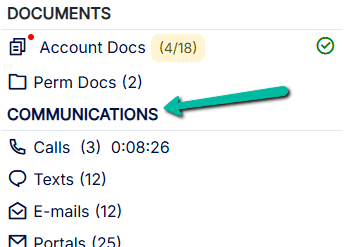
The Communications Header appears above the various communication logs inside each client file.
Clicking on the Communications Header opens the Communication Summary section.
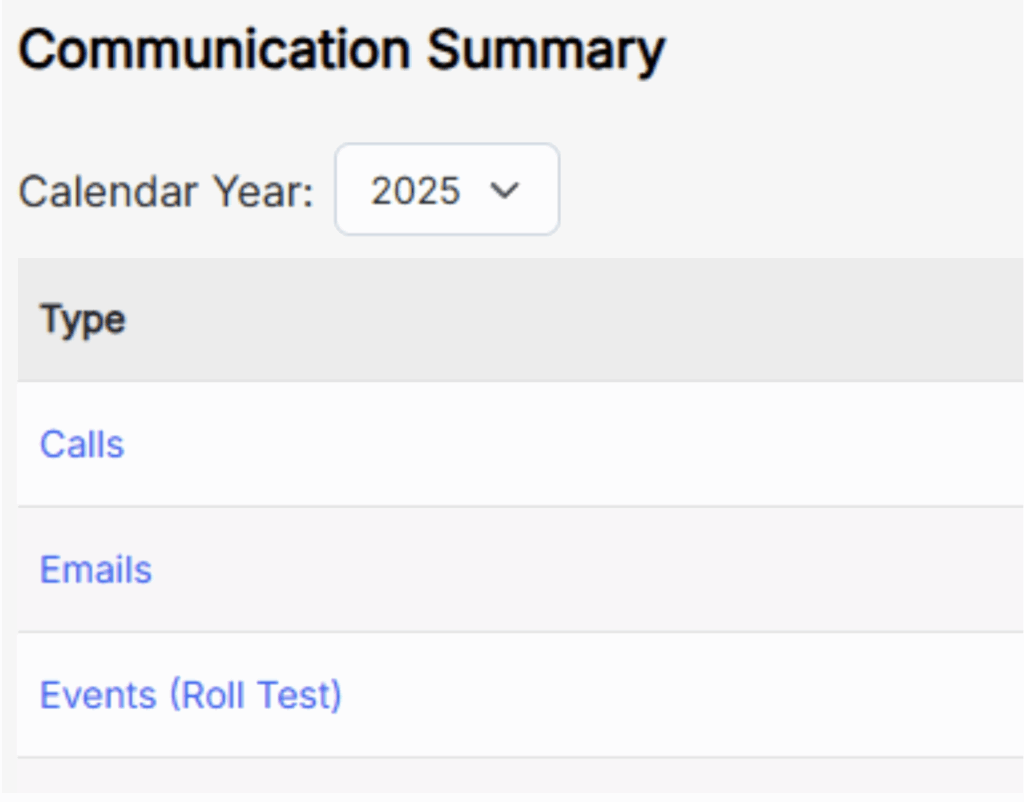
This section provides a quick overview of the total counts of texts, calls, emails, and other communication types — along with their billable information.
Field Descriptions #
Calendar Year – Drop-down filter to select which year to view.
Communication is stored within the year it was received or sent.
Type – Displays the communication method.
Clicking a method (e.g., Calls, Emails, Texts) takes you directly to that log in the client file.
All methods display regardless of whether you’ve signed up for those add-ons.
Note: You can still compose emails from this method even without the SendGrid email upgrade.
Just click on Emails and then Add to compose a message.
Total Count – Shows the total number of calls, emails, texts, etc., for the selected year.
Billable Hours – Displays the total billable hours for each communication method.
Billable Amount – Displays the total billable amount for each communication method.
Emails, Portals, Texts: Configured under Admin > Core Configuration > Communication Security Properties – Email/TXT/VoIP.
Faxes: Derived from Interfax, reflecting the cost per fax.
Calls: Calculated from call duration × the Billing Rate (Communications) in each User profile under Tax / Reporting.
Events: Based on the event duration and its Billing Rate.
Totals – Shows the cumulative totals for each column.